Software Development
Releasing a new version with Git
Once the tests have run and everything works fine:
-
Bump the version number
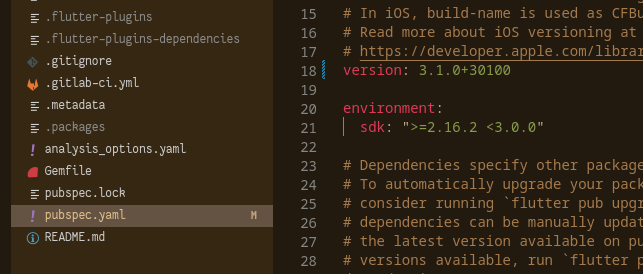
-
Commit the file
git add . git commit -m ":bookmark: new version 3.1.0" -
Create a tag with the version number
git tag v3.1.0 -
Push the commit and the tag to GitHub
git push origin development git push origin --tags -
Open the Pull Request